Customer configuration
Instead of collecting wishes over the phone and typing them in by hand, the customer fills in a form. The file that comes back is read in — and the booth is set up the way they wanted.
The process has three parts:
- Assemble the form and send it to the customer.
- The customer fills it in and returns the export file.
- Read the file in — either while creating an event or into the current configuration.
Assembling the form#
Found under admin area "Event management" > "Customer configuration" > "Create customer form".
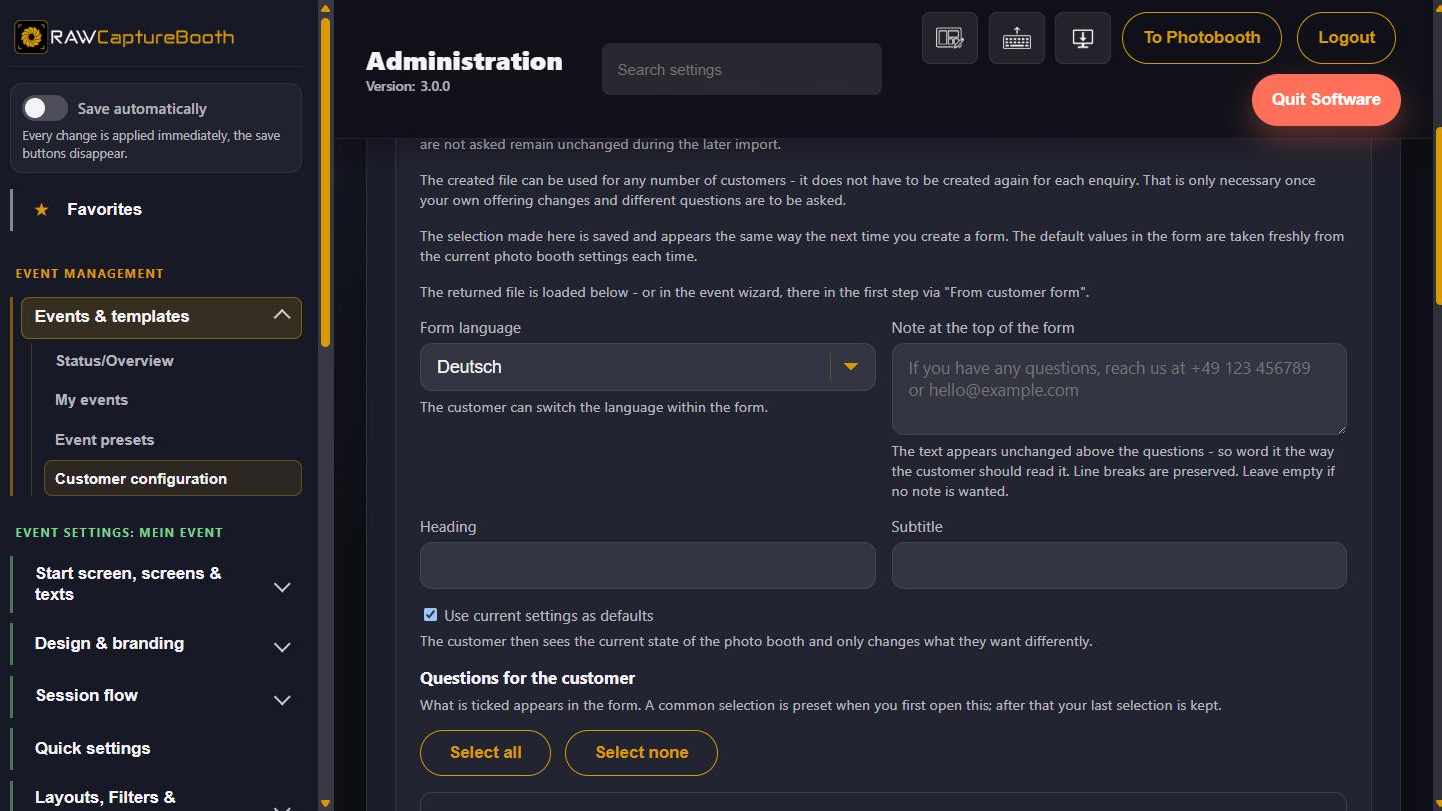
- Tick the questions the customer should answer. On first use a common selection is prefilled; after that the last selection is kept.
- Set the headline, the subtitle and a note at the top of the form. The note appears unchanged above the questions — so word it the way the customer should read it.
- Choose the language of the form. The customer can change it inside the form; all six application languages are available.
- Optionally tick "Use current settings as defaults" — the customer then sees the current state of the booth and only changes what they want differently.
- Press "Create form" and pick a location to save it.
The result is a single HTML file. It can be sent by e-mail and works at the customer's end without an internet connection — a double-click is enough.
Among other things the form also asks whether the booth should be operated by touchscreen, by buzzer or both.
Reading the answer back in#
The customer returns the export file. There are two ways on from there:
As a new event — in the event assistant, first step, "Content" > "From customer form". Name, note and all wishes come from the file, so the following steps are already filled in. Below it you choose where the remaining settings and the layouts come from: a preset, a copy of an event, or nothing at all. A name or note you typed yourself is not overwritten.
Into the current configuration — under "Customer configuration", select the file, press "Check preview" and read the report. It shows the entries from the form, the planned changes and any warnings. Only "Apply configuration" commits them; a preset is created as a backup beforehand.
What the customer does not see#
The form asks about wishes, not about technology: no credentials, no camera settings, no printer selection. It is meant to replace a conversation, not to remote-control the booth.