
Management portal
All your photo booths at a glance, plus commands such as a restart or a message on the screen.
For operators
A rented photo booth often runs all evening without its operator. Portal, status email and webhook tell you how it is doing and let you step in remotely. All of it is part of RAWCaptureBooth itself, no extra software needed.
All your photo booths at a glance, plus commands such as a restart or a message on the screen.
Open the booth's admin area in the browser as if you were standing in front of it.
A regular report to your inbox, and on request an email of its own for every fault.
The status as JSON to an address of your own, for your website or your own system.
All four need an internet connection at the booth. The booth itself keeps running without one.
In the browser at portal.rawcapturebooth.app, with a free account.
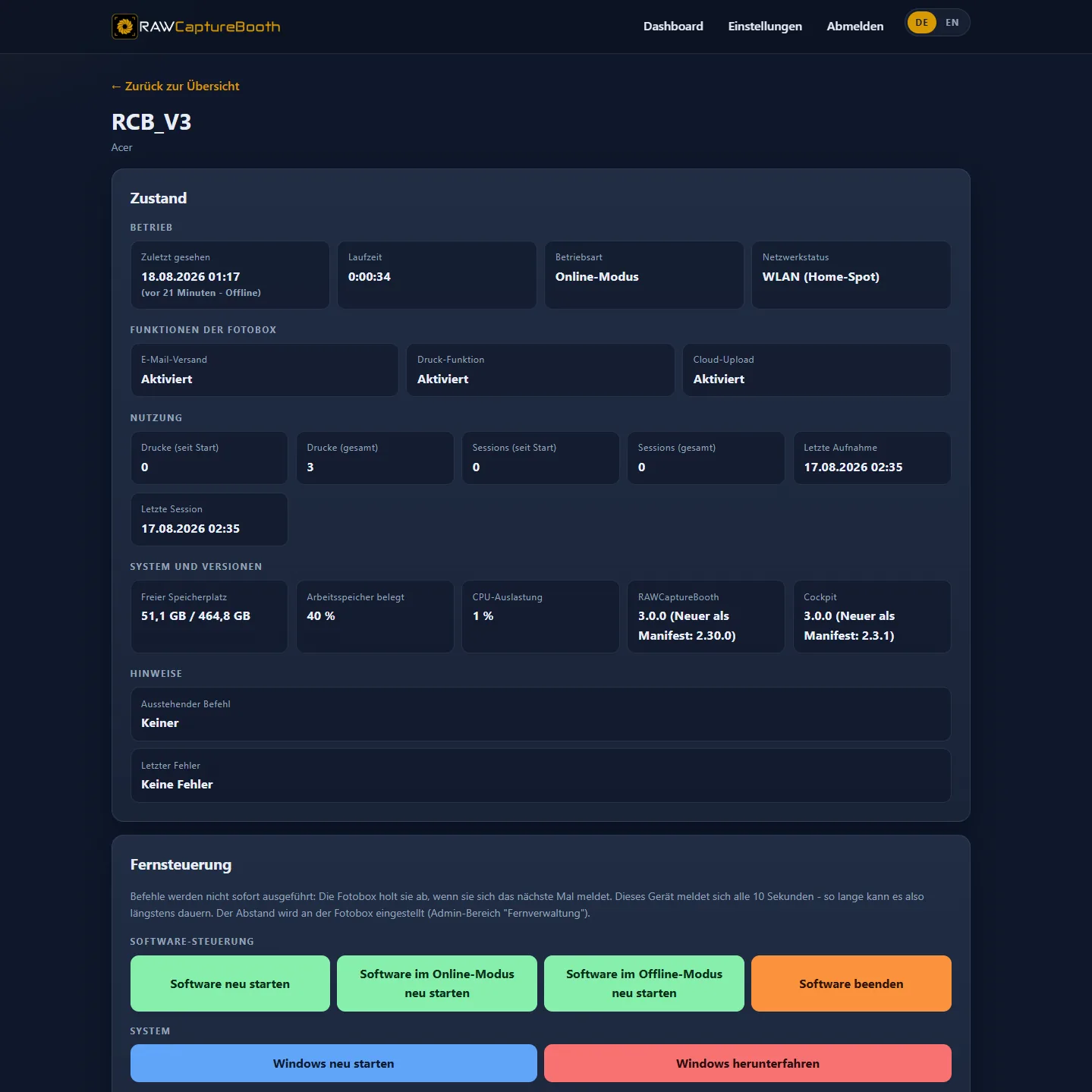
The booth picks up commands from the portal the next time it reports, every 30 seconds by default. Instead of the portal you can also use your own web server.
The booth's admin area opens in the browser, even behind a venue's Wi-Fi or a mobile router, without VPN and without port forwarding. Swap a layout or check a printer without driving there.
At the booth there is just one switch. Access is tied to your portal login.
Choose target folders, USB sticks and backups on the booth as if you were sitting at it.
Download an event to your own device and upload it to the next booth, no USB stick on site.
A report at the interval you set, from every 5 minutes to once a day. Checkboxes decide what it contains.
A fault triggers an email of its own straight away, and once everything runs again, an all-clear with start and duration. Faults include a printer out of paper, a wireless buzzer without connection, a LightControl outside its temperature limits or a camera that does not fire, with the cause in plain words, such as a full memory card.
A fault is only reported when two checks in a row show the same. A brief glitch does not trigger an email.
The booth reports its status at regular intervals to an address of your own, as signed JSON with the same values the portal shows. The portal is not needed for this.
Show whether the booth is in use right now and how many photos have been taken.
Track several booths in a system you already use.
Via home automation or chat when paper runs low or a booth stops reporting.
Record counters, for example to bill the customer.