
Connect the network
An existing connection is detected and shown. If there is none, the wizard leads through the WiFi list – including captive portals in hotels, holiday homes or event venues.
Keep an eye on your photo booths, control them remotely and let rental customers start them without help. Remote administration is part of RAWCaptureBooth and runs through the management portal in the browser. The free Cockpit is something else: the start center right at the booth.
Remotely · Part of RAWCaptureBooth
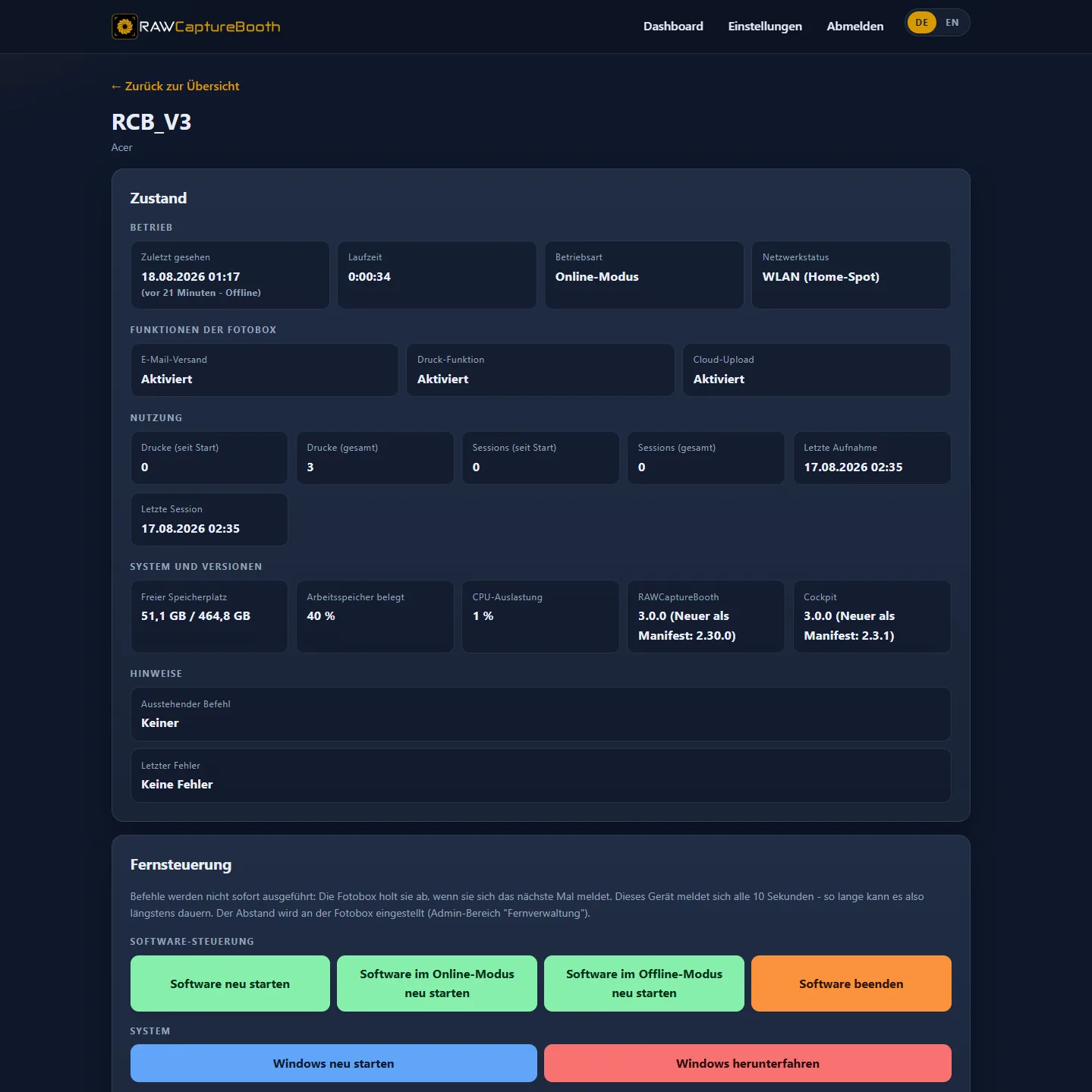
Every photo booth reports its state to the management portal. The browser shows how the booths are doing – and lets you control them without driving there.
Reported are state, counters, enabled features and errors – no images.
Your own gallery & management
If you would rather keep images and event management in your own hands, the extended edition is available – and all it needs is an ordinary web hosting package for a few euros a month. The setup assistant from the download section does the rest in about five minutes, with no command line and no specialist knowledge.
It contains a management portal, event administration, image uploads and an access for the host. The wedding couple or the company can see their own images, remove individual shots and keep an eye on the booth.
No additional cloud service is required: events, images and administration sit in one place that belongs to you. And for the tech-minded: on your own Linux server with Docker it runs just as happily – the matching Portainer stack or Docker Compose stack comes with it.
A demo server shows both sides right away: the gallery for the guests and the admin area behind it. Access codes and login details are printed on the pages themselves.
Packages, event numbers and the full setup process in detail
On site · Optional add-on
The Cockpit starts together with Windows and walks through five steps up to the running photo booth – without rental customers having to search through the operating system.
An existing connection is detected and shown. If there is none, the wizard leads through the WiFi list – including captive portals in hotels, holiday homes or event venues.
Stability and speed of the line are checked. If it is not good enough for online operation, the Cockpit says so before the start – instead of stalling uploads later on.
Start with or without online features such as email sending and cloud upload, each explained in one sentence. Without a usable connection the Cockpit recommends the offline start.
The final step launches RAWCaptureBooth in the chosen mode. The wizard can be restarted at any time.
On first launch a separate wizard sets up the station: locate the photo booth software, service PIN, contact details, remote maintenance and display.
Behind the service PIN sit remote maintenance, on-screen keyboard, PC restart and the settings of the station.

No. RAWCaptureBooth runs completely without the Cockpit, and remote administration is part of the photo booth software as well. The Cockpit only takes the on-site setup off the rental customer’s hands.
It is the start center on site: the wizard guides the end customer from the WiFi connection through the connection test and the choice of operating mode to the start of the photo booth. It also offers a service menu for the operator.
Nothing. The Cockpit is a free companion application for RAWCaptureBooth and is not required for operation.
The photo booth session itself runs offline. Status reports and remote control require an internet connection because they run through the management portal.
On your own infrastructure. The Docker image runs on your own server or in a data centre of your choice, so no further cloud services are needed.